Yamate Review 2026
By Mathurin V. · Updated · Tested hands-on · Prices in AUD

Yamate
Quoting, invoicing and the Australian admin, run from a phone
Our verdict
Recommended with caveats74/100Yamate is one of the cheapest job apps in Australia and one of the easiest to pick up. The AI quoting is fast and mostly right, and the Australian details are handled well. It is also very new. Payroll can’t report to the ATO yet, your books stay on your phone unless you turn backup on, and there is no track record to lean on. Good value for a small business happy to be an early customer; too early for one that runs payroll through its job app.
88
Ease of use
92
Value
70
Features
82
Mobile
Best for
- +Sole traders and crews of two or three who quote on site
- +Tradies who want GST and tax set-aside handled as they go
- +Anyone leaving Jobber who wants an app priced in Australian dollars
Not for
- −Employers who need Single Touch Payroll lodged from the job app
- −Businesses on MYOB, or that need stock control and project scheduling
Key takeaways
- •$19 a month for up to three people until 30 November 2026, then $29. Crews of up to eight pay $59.
- •Quoting is the highlight: describe the job and it drafts an itemised quote with GST in seconds.
- •ABN, GST, BAS reminders and a library of WHS templates are built in.
- •No Single Touch Payroll lodging yet, no MYOB, and it only launched in August 2026.
What is Yamate?
Yamate is an Australian job management app for sole traders and small trade crews. It handles quotes, scheduling, invoices and payment reminders, and it also covers admin most job apps leave to your accountant: GST, tax set-aside, payslips and safety paperwork. It runs in the browser on a phone or computer, and launched in August 2026.
| Price | $19/mo for up to 3 people (Founder price, to 30 Nov 2026), then $29 |
|---|---|
| Crews | $59/mo for up to 8 people, then $15 a person |
| Free plan | Yes, one person, no time limit |
| Free trial | 30 days, no card |
| Runs on | Browser on any phone or computer; Android app on Google Play |
| Accounting | Xero push; CSV exports. No MYOB |
| Payroll | PAYG, super and payslips; no Single Touch Payroll yet |
| Made by | Clarova Pty Ltd, Tweed Valley, NSW; launched August 2026 |
Quoting
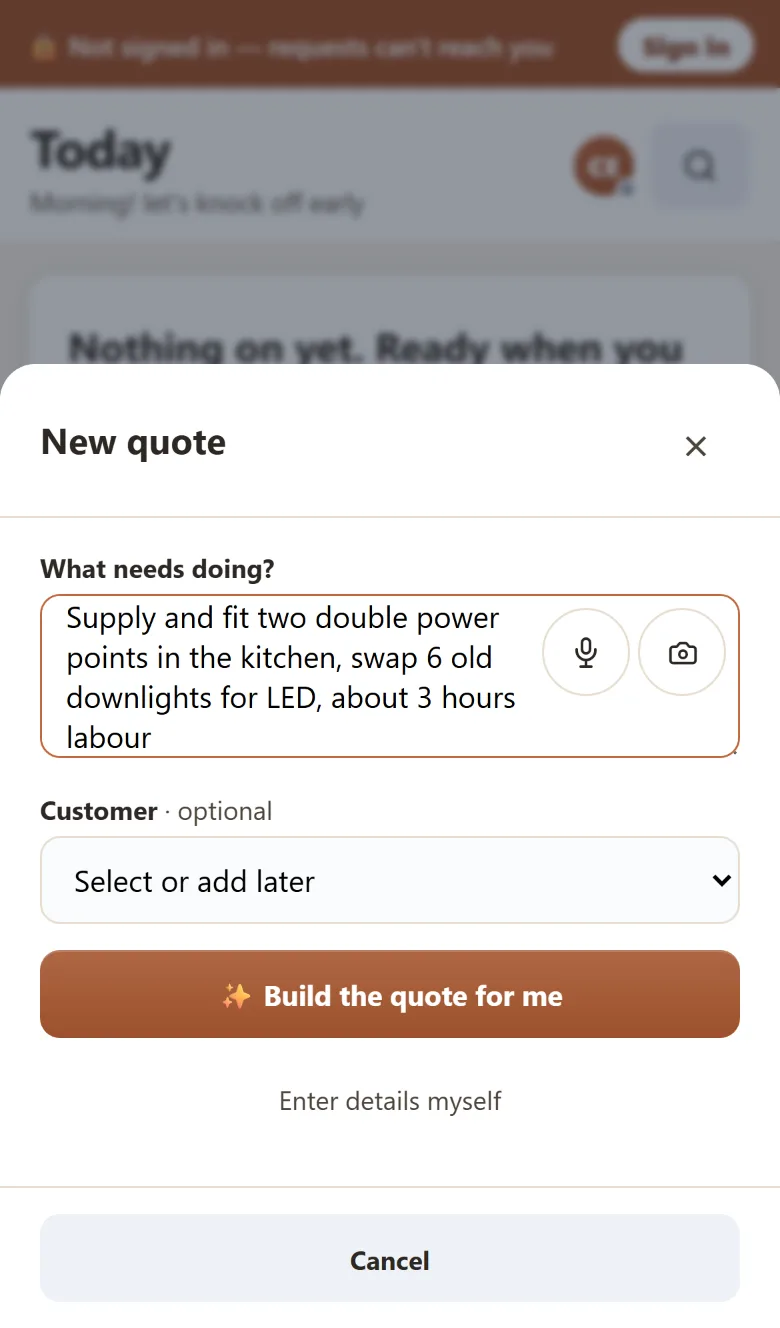
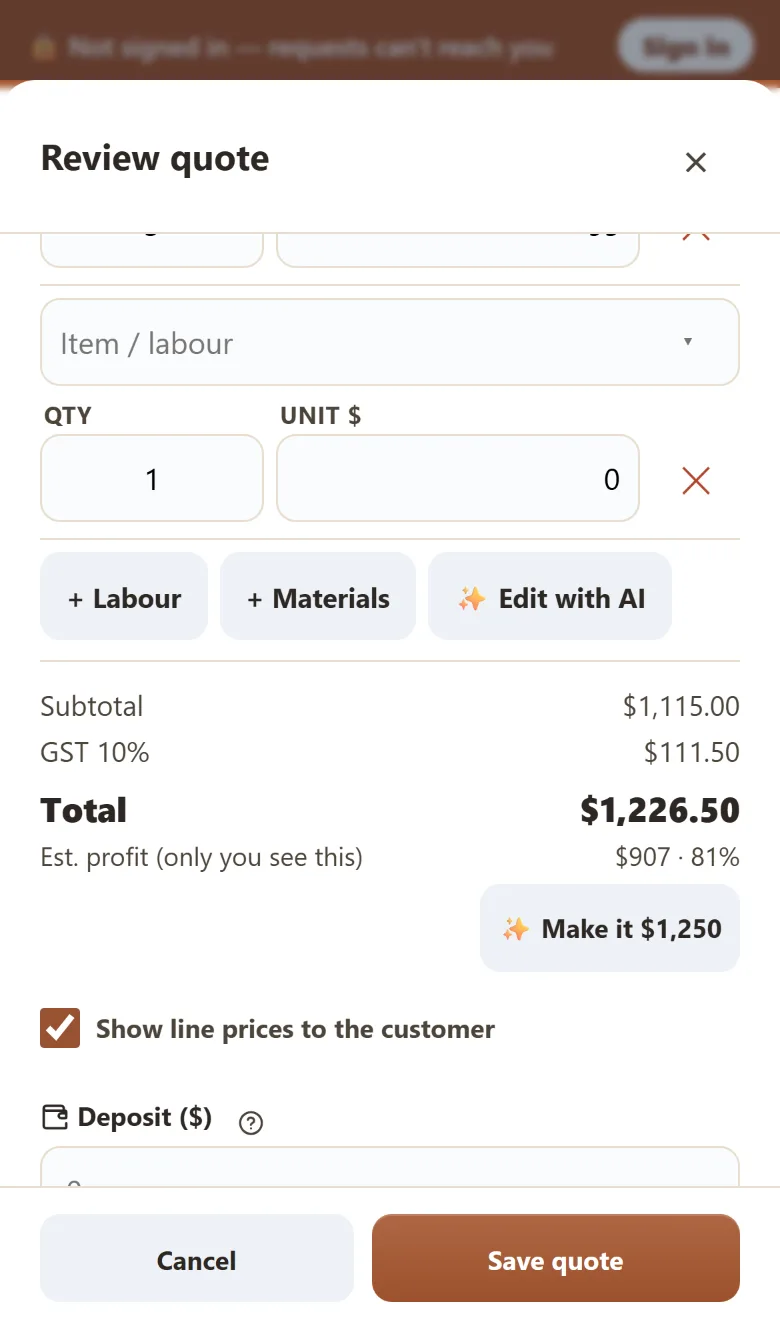
Quoting is the best part of Yamate. We typed “supply and fit two double power points in the kitchen, swap 6 old downlights for LED, about 3 hours labour” and had an itemised quote with GST about six seconds later, with a description of the work written for the customer.
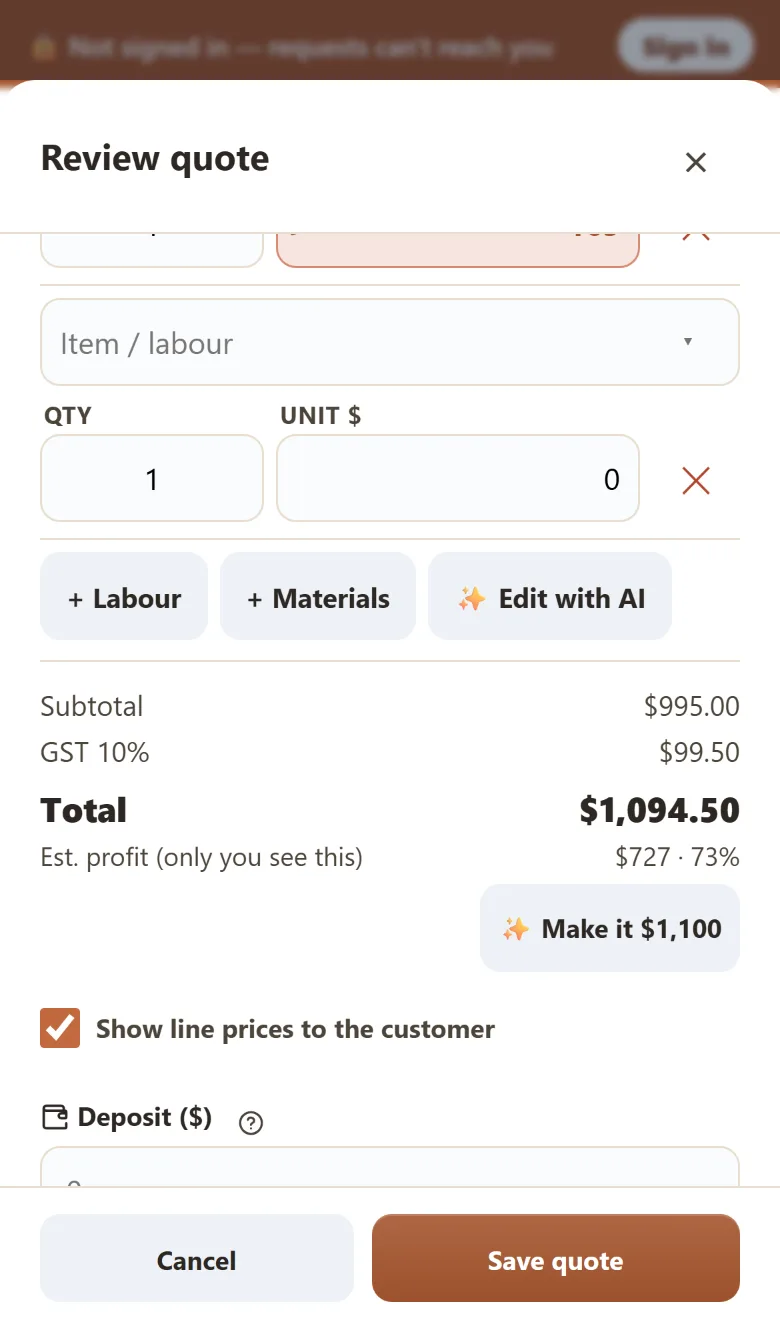
It wasn’t perfect. The power points and downlights were priced as supply and fit, and it still added three hours of labour on top, so the fitting was charged twice. Yamate highlights every price it picks so you check it, and one plain-English instruction (“remove the labour line, add a safety switch”) fixed the quote in a couple of seconds. You still need to read every line before it goes out.
Two small touches help when you’re pricing a job in someone’s kitchen: an estimated profit on each quote that only you can see, and a one-tap button to round the total.
Jobs, deposits and invoicing
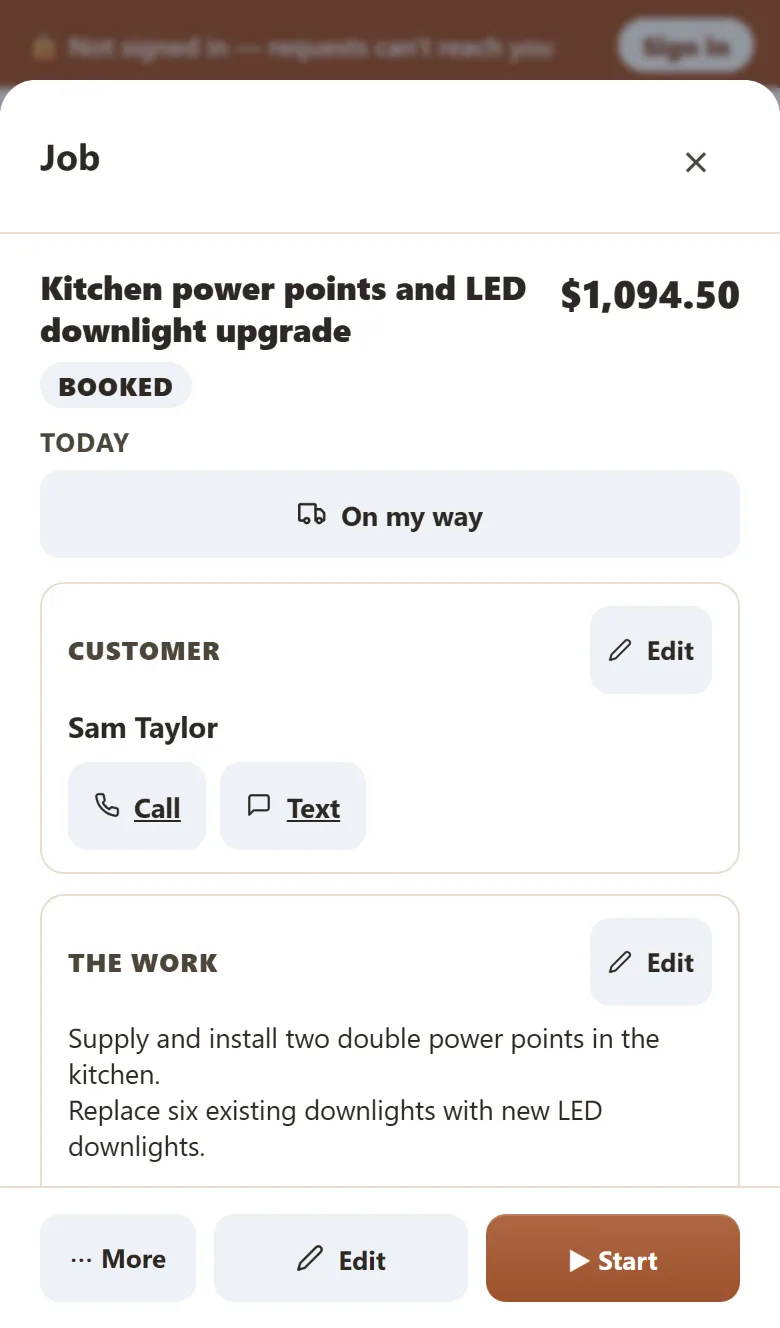
A won quote becomes a booked job, then moves through on the go and done. The home screen works as a to-do list. After we saved a quote it led with “send the quote for Sam”, and it reminded us our July–September BAS was due on 28 October. Deposits are set on the quote and the balance is worked out for you.
Some screens need polish. One tap on “Deposit?” marked our deposit as paid by bank transfer without asking, and the job card didn’t refresh after we started the job.
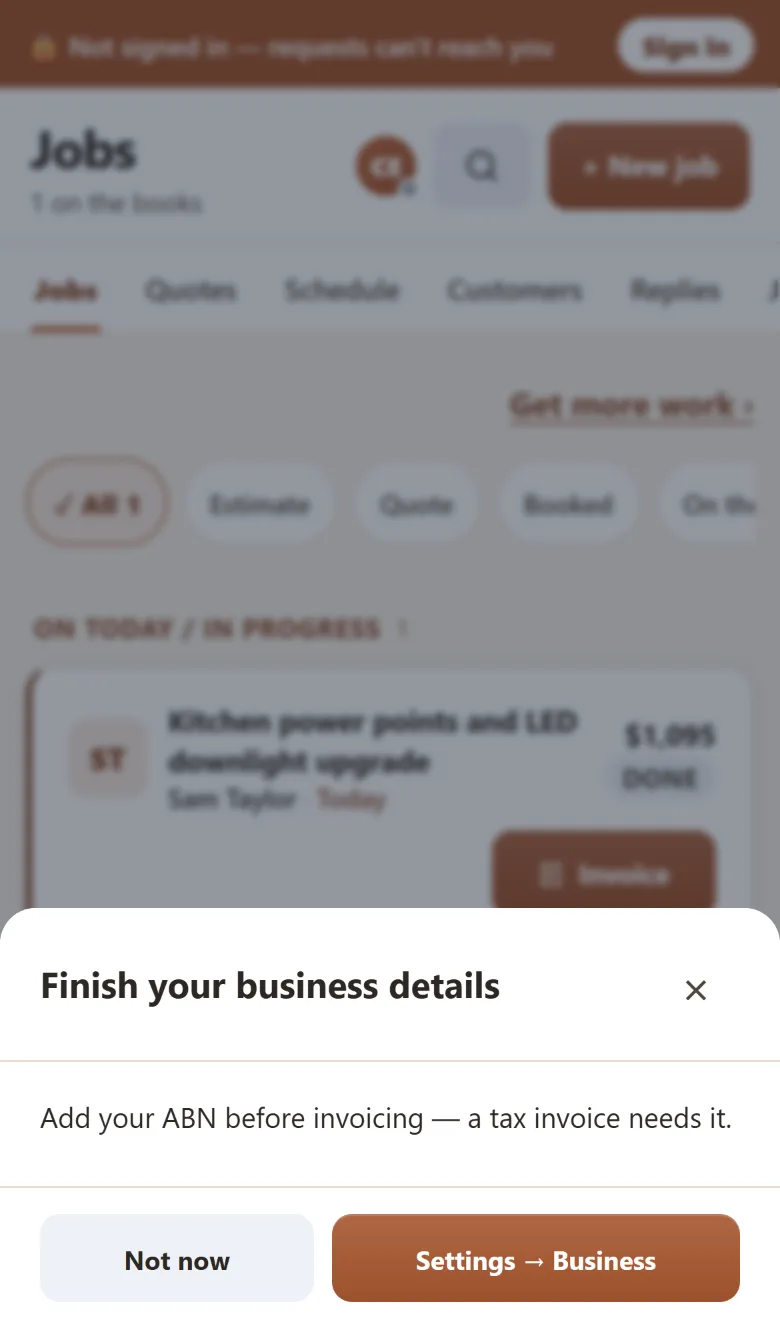
Yamate won’t create a tax invoice until your ABN is on file, which is correct. Invoices go out as a PDF or a web link with GST and your PayID or bank details, and card payments run through your own Stripe or Square account.
SWMS and safety paperwork
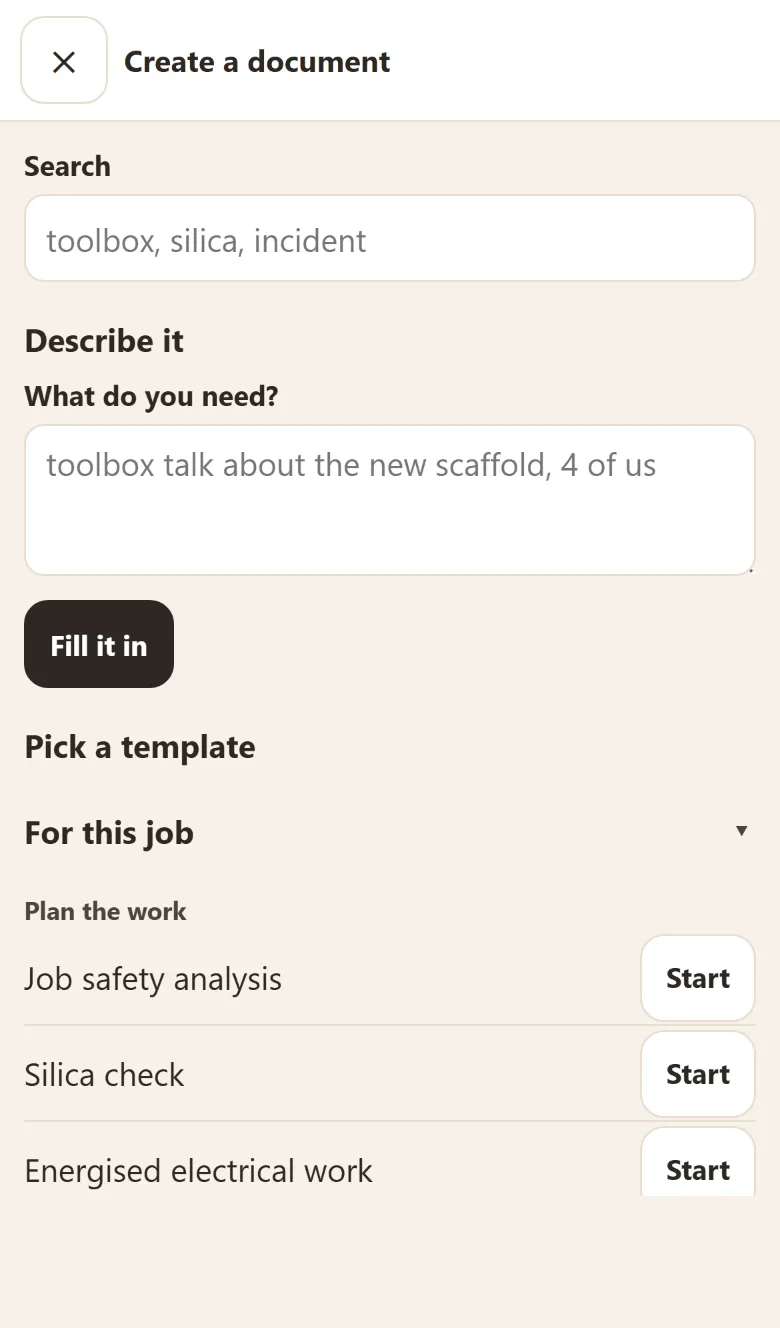
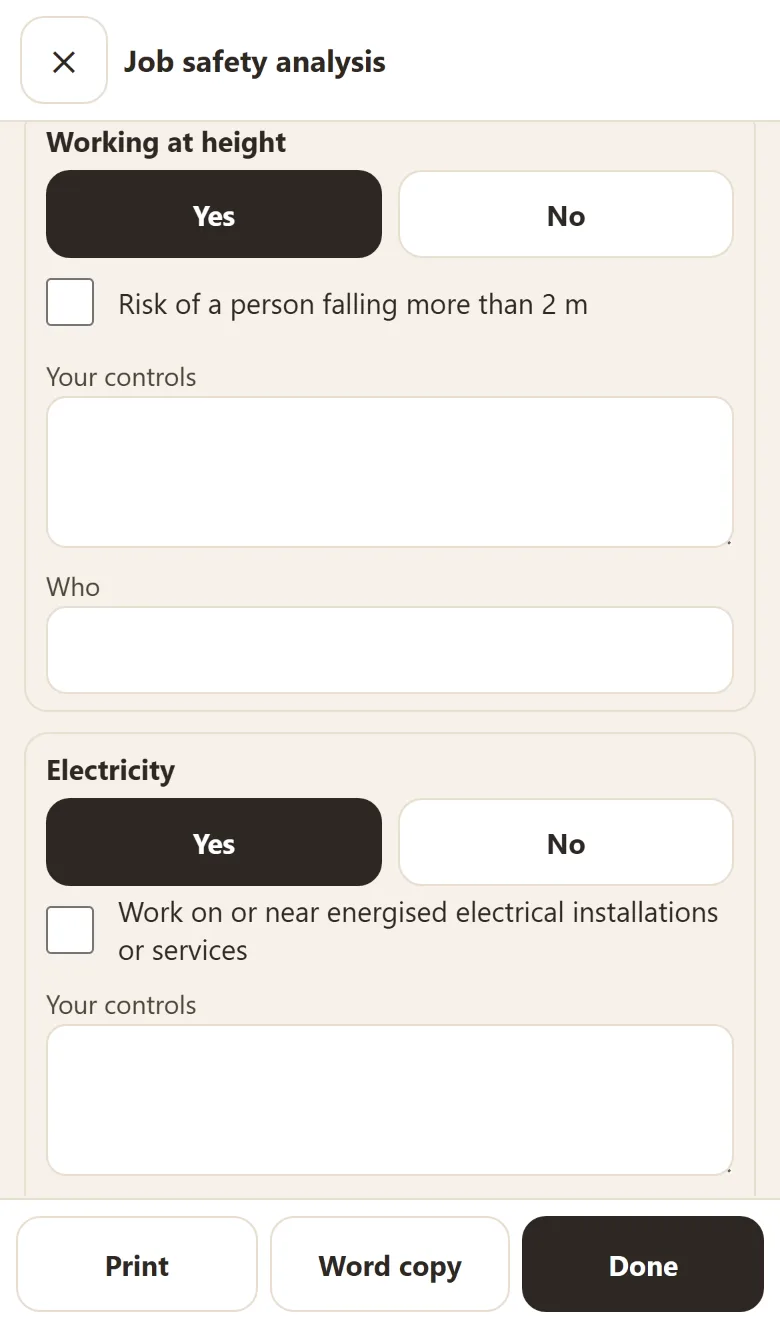
Every job has a safety documents section backed by a large template library: job safety analyses, Take 5s, toolbox talks, permits, incident reports and registers. When we asked for a SWMS for ceiling work off a ladder, it opened a job safety analysis already filled with the job, customer and site, plus prompts to check for heat, asbestos and live wiring. Marking a hazard as present brings up the matching high-risk construction work categories, which are what make a SWMS a legal requirement.
You write the control measures yourself, and workers sign by confirming on the phone that they’ve read the document. That’s sensible, but it’s less than “drafts a SWMS for you” suggests. Electricians also get a place to record certificate of compliance numbers. Yamate doesn’t lodge certificates; it told us lodging through NSW eCert is in testing.
Payroll and tax
Yamate can run a pay. It works out PAYG withholding and super from the details you enter and produces a payslip. It can’t yet report that pay run to the ATO through Single Touch Payroll, which Australian employers generally have to do. Yamate told us it applied to the ATO in October for the registration it needs. Until that’s approved, anyone with staff still needs STP-enabled payroll software, so for now the feature is more useful as a check than a replacement.
For tax, it estimates the GST, income tax and super to set aside each time a payment comes in, and exports GST and end-of-year summaries as CSV. It pushes invoices, payments and customers to Xero. There’s no MYOB connection.
Switching from Jobber
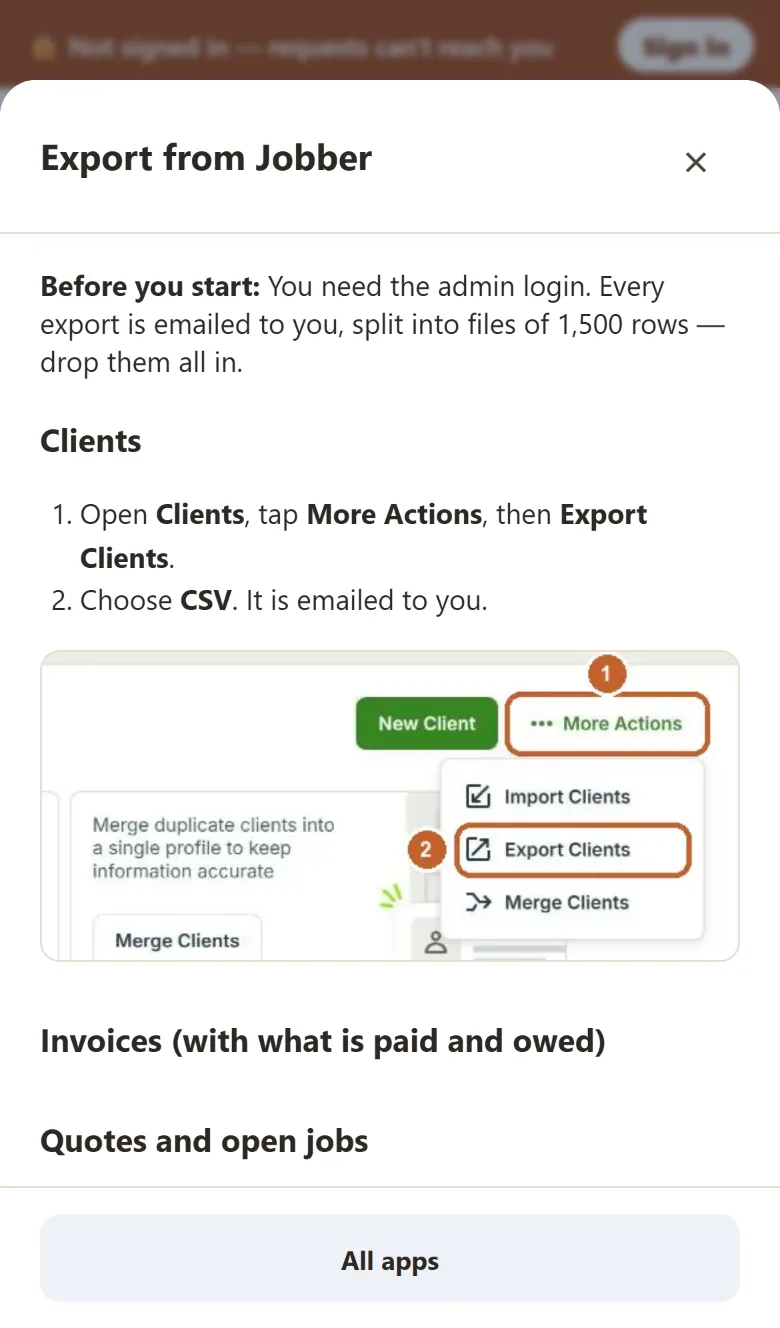
Jobber is one of the apps Yamate imports from, with a guide to exporting your clients, invoices, quotes and price list from Jobber as CSV files. It warns that photos and recurring job templates won’t come across, and that Jobber’s American date format needs checking after the import.
Yamate keeps your books on the device by default, which is how it keeps working without reception. The flip side is that a lost phone without backup means lost data, so turn backup on at setup. You also need to sign in before you can send anything to a customer.
Pros and cons
Pros
- One of the cheapest options in Australia: $19–$29 a month for up to three people
- Fast AI quoting from a plain description
- ABN, GST, BAS reminders and WHS templates built in
- 30-day trial with no card, then a free one-person plan
- Quick to learn: we were quoting within a couple of minutes
Cons
- Launched in August 2026, so no track record yet
- Can’t lodge Single Touch Payroll yet
- Xero only, no MYOB
- AI quotes need checking line by line
- Data stays on the phone unless backup is on
Yamate pricing
Every paid plan has the same features; you pay for the number of people on the account. Up to three people cost $19 a month on the Founder price, or $29 for anyone joining after 30 November 2026. The Company plan is $59 a month for eight, then $15 a person. There’s no GST, no contract, and a free plan for one person.
Full Yamate pricing: every plan, cost by team size and extra fees →
Yamate alternatives
Tradify is the more established all-rounder, priced per user in AUD and connected to both Xero and MYOB. ServiceM8 suits iPhone crews doing a lot of small jobs, since staff are free and you pay by job volume. Jobber has the deepest scheduling and client portal, but it’s priced in US dollars, and its built-in card payments and two-way texting are listed for the US, Canada and UK only.
Compare Yamate, Tradify, ServiceM8, Fergus and Jobber in AUD →
How we tested
We used Yamate’s 30-day trial in a phone-sized browser with Australian settings, set up as a made-up electrician in Newcastle, NSW, on 13–14 October 2026 (app build 2026-10-13.13). We ran one job from quote to invoicing, including a safety document, with phone numbers reserved for fiction so nothing reached a real person.
We didn’t sign in to Yamate’s cloud, so we haven’t yet tested sending quotes and invoices, customer texts, a pay run, crew logins, the Xero connection or offline use. We’ll update this review when we have.
Yamate didn’t pay for this review and had no say in it. We are members of its affiliate program: if you subscribe through our links, Yamate pays us a share of your first year’s fees at no cost to you.
Yamate FAQ
Is Yamate any good?
For a sole trader or a crew of up to three, yes. We rate it 74/100: quoting is fast, the Australian admin is well handled and it costs $19–$29 a month. It launched in August 2026, can’t lodge Single Touch Payroll yet and only connects to Xero.
How much does Yamate cost?
Yamate is $19 a month for up to three people if you sign up by 30 November 2026, then $29 a month. The Company plan is $59 a month for eight people, plus $15 for each extra person. There is a free one-person plan and a 30-day trial with no card.
Is Yamate a good alternative to Jobber in Australia?
For small businesses, yes. It is priced in Australian dollars, costs far less than Jobber’s team plans and handles ABNs, GST and WHS paperwork. Jobber is more mature, with deeper scheduling and a client portal.
Can Yamate do payroll and Single Touch Payroll?
It works out PAYG withholding and super and produces payslips, but it doesn’t report payroll to the ATO yet. If you employ staff you still need STP-enabled payroll software.
Does Yamate work with Xero and MYOB?
It pushes invoices, payments and customers to Xero. There is no MYOB integration, and GST and end-of-year summaries export as CSV.
Does Yamate work on iPhone and Android?
Yes. It runs in the browser on any phone or computer and can be added to your home screen. There is also an Android app on Google Play.
Some links are affiliate links — we may earn a commission at no extra cost to you. It never changes our verdict. Affiliate disclosure.
Reviewed by Mathurin V.
Editor, FSM Advisor. We research and compare FSM software — pricing is verified from public sources and user reports, and comparisons are updated when changes are detected.